#
🖥️ Editor Window Overview
The EazyNetChecker Editor Window is your central hub for managing your methods and settings.
#
🚀 Opening the Editor
You can open the EazyNetChecker Editor Window by navigating to Window > Hellmade Games > Eazy NetChecker > Main Window.
If any required assets are missing, you'll be prompted to initialize them. (Refer to Getting Started for setup instructions.)
#
🔎 What You’ll See
The Editor Window is divided into three main tabs:
#
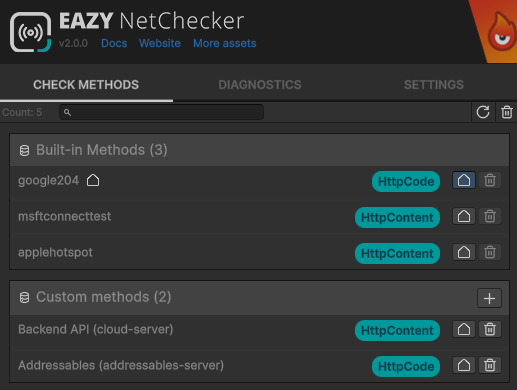
1. Methods
Displays all built-in and custom network check methods. You can add, edit and delete your custom methods directly from this tab. Built-in methods are read-only.
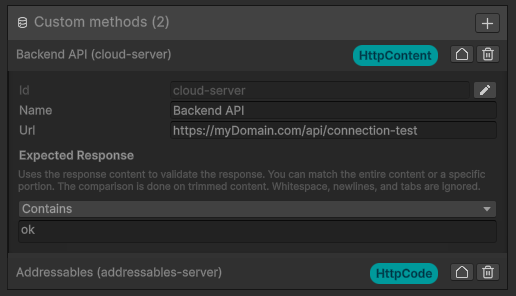
You can click on any method to expand it and see/edit its details, such as URL, expected response etc.
#
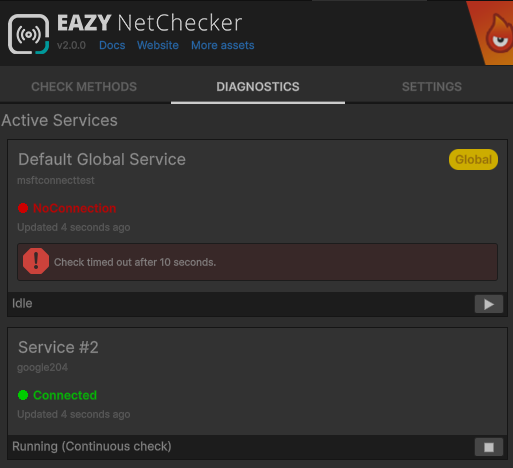
2. Diagnostics
Provides tools and information to test and debug your services network checks. You can see the status of each service, as well as manually run or stop checks.
#
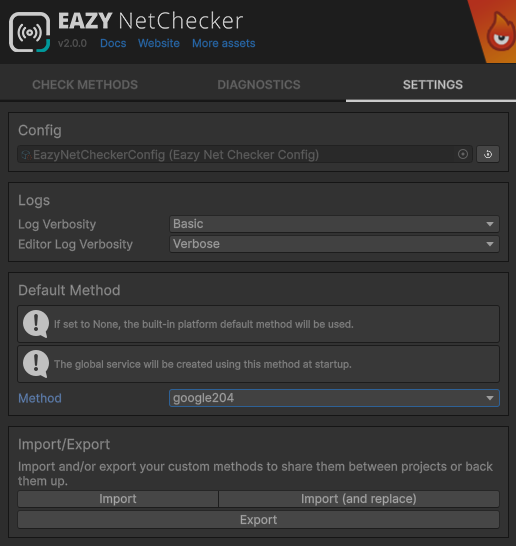
3. Settings
Project-wide EazyNetChecker configuration. Here you can define global settings for the system, such as default check intervals, timeouts, and other options. You can also import/export your custom methods from this tab.